
PC requirements / ATMOSFAR Wiki
What are the ATMOSFAR system requirements?
The current English Steam listing gives a Windows 10 minimum with 8 GB RAM, an RTX 2070 or RX 6700 XT, and 25 GB of storage. Its recommended configuration uses Windows 11, 16 GB RAM, an RTX 4070 or RX 7800 XT, and 50 GB of storage. These are published requirements checked on October 26, not benchmark results or a guarantee of a particular frame rate.
Sources checked · Independent fan guide
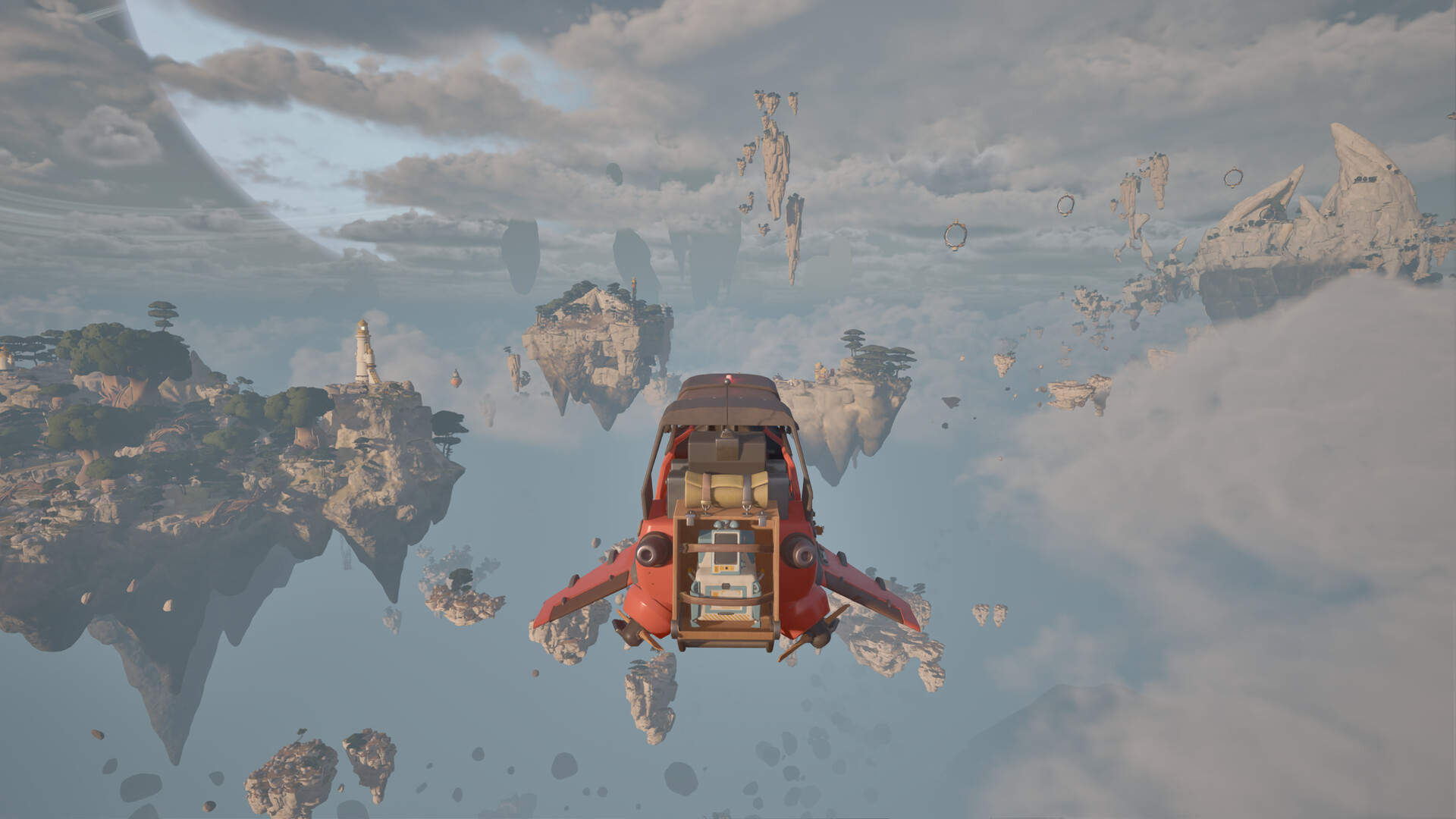
Official Steam screenshot · © Apoapsis Game Laboratories AB / SHUEISHA, SHUEISHA GAMES. Pre-release media.
PC requirements at a glance
| Component | Minimum | Recommended |
|---|---|---|
| OS | Windows 10 64-bit | Windows 11 64-bit |
| CPU | Intel Core i5-7500 / AMD Ryzen 5 1500X | Intel Core i7-14700K / AMD Ryzen 7 7800X3D |
| Memory | 8 GB RAM | 16 GB RAM |
| Graphics | NVIDIA RTX 2070 / AMD RX 6700 XT | NVIDIA RTX 4070 / AMD RX 7800 XT |
| DirectX | Version 11 | Version 12 |
| Available storage | 25 GB | 50 GB |
Minimum PC specification
The listed minimum processor is an Intel Core i5-7500 or AMD Ryzen 5 1500X. The operating system is 64-bit Windows 10, with 8 GB of RAM. Steam pairs those items with an NVIDIA GeForce RTX 2070 or AMD Radeon RX 6700 XT graphics card.
DirectX 11 and 25 GB of available storage complete the listed minimum specification. The multiplayer note also calls for an internet connection. Read these items together rather than treating the graphics card alone as the complete requirement.
Recommended PC specification
The recommended processor is an Intel Core i7-14700K or AMD Ryzen 7 7800X3D. The listed operating system changes to 64-bit Windows 11, and the RAM recommendation rises to 16 GB. The graphics recommendation is an NVIDIA GeForce RTX 4070 or AMD Radeon RX 7800 XT.
The recommended listing specifies DirectX 12 and 50 GB of available storage. These values belong to the recommended column and should not be silently substituted into the minimum column. Steam presents two configurations, and this page preserves their differences rather than combining them into a third unofficial target.
How to interpret the two columns
Minimum and recommended are the labels used by the storefront. The checked material does not attach a verified resolution, graphics preset, or frame-rate target to either one. It would therefore be misleading to translate the minimum column into a promised 1080p result or the recommended column into a guaranteed high-refresh experience.
The same limit applies to hardware between or outside the named examples. This guide does not publish an untested equivalence table for laptop GPUs, integrated graphics, or older desktop cards. Compare your machine with the named components first, then look for actual build-specific performance evidence when it becomes available.
Storage figures and older pages
The current English listing is the source used for the 25 GB minimum and 50 GB recommended figures. The research encountered older or localized entries with different storage values, which were not carried into the current requirements answer. Mixing those figures would leave readers with incompatible versions of the same specification.
Available storage is the wording of the requirement, rather than a measured download size. The research does not establish the exact compressed download, a permanent installation size, or the space needed for every future update. It also does not verify an SSD requirement, so the page does not add one to the official list.
Windows support and other devices
The checked requirements describe Windows PCs. They do not establish a separate supported macOS or Linux build. A Steam listing alone is not sufficient evidence to promise every operating system supported by the Steam client itself.
Steam Deck compatibility is also a separate verification question. No Deck status, handheld benchmark, or compatibility-layer configuration is established by these requirements. Someone choosing hardware should distinguish an official platform listing from an enthusiast experiment performed on a different device.
Multiplayer connection requirements
The storefront notes that multiplayer requires an internet connection. That supports the online cooperative feature described elsewhere in the official game information. It does not specify a verified minimum bandwidth, a latency target, or a regional server arrangement.
The advertised cooperative limit is up to four players, with solo play also supported. The research does not provide separate host-machine hardware requirements or a dedicated-server specification. Do not assume that the player PC requirements double as verified guidance for an unannounced server setup.
A useful comparison process
Write down your operating system, processor, memory, graphics card, DirectX support, and free storage before comparing the listing. Match each item to the corresponding minimum or recommended line, rather than checking only the component you upgraded most recently. This is an editorial way to read the published specification, not a replacement for a performance test.
If a component differs, the information here does not calculate the resulting frame rate. The useful next evidence would be testing of the same game build on comparable hardware, with its settings and resolution stated. Preview footage without those conditions cannot support a precise performance promise for your PC.
Which source should you follow?
Use the main English Steam listing as the primary reference for the complete current specification. The research also compared GamesGG and Univers Simu coverage, while retaining the current storefront figures where older entries differed. Requirements are time-sensitive, so the live official listing remains the place to recheck before committing storage or purchasing hardware.
For availability, the Steam and release-date guides answer a different question from hardware compatibility. A PC can match the listed requirements while the announced release is still pending at the research date. Keeping access, platform support, and performance expectations separate makes the information easier to use without promising an untested result.
Are these performance benchmarks?
No, they are the minimum and recommended configurations published on the checked storefront. The source does not attach a measured frame rate, a rendering resolution, or a graphics preset to either column. A requirements list can guide comparison without proving exactly how your own machine will perform.
This distinction also matters when watching a creator's playthrough. Without matching hardware and stated settings, visible footage is not a controlled benchmark for another PC. The review page therefore discusses the available impressions without turning them into an unsupported performance guarantee.
Why checking the whole configuration matters
The specification includes more than processor and graphics-card names. Operating system, memory, DirectX version, and available storage are also part of the published columns. Comparing only one component can leave an important difference elsewhere in the machine unnoticed.
Keep the minimum and recommended entries aligned as you compare them. Taking the minimum processor from one column and the recommended storage from another produces a combination the storefront did not label as a separate target. If the live official listing changes, use its newer complete information rather than preserving a mixed set of values from several dated pages.
Sources and evidence
These are the sources retained in this guide’s research brief. Dated Demo footage and development articles support only the version and claims identified above; the current official listing takes priority for changing availability and requirements.
- ATMOSFAR on Steam (opens in a new tab)
- Atmosfar — GAMES.GG (opens in a new tab)
- ATMOSFAR: Release date, co-op, and PC requirements (opens in a new tab)
- ATMOSFAR - Official Early Access Release Date Trailer (opens in a new tab)
- Day 1 of Flying Crafts, Mobile Airbases and more in This New Survival Game… (opens in a new tab)
- ATMOSFAR — SHUEISHA GAMES (opens in a new tab)